Creating A Records for SBC Devices
The service provider domain must be created for Direct Routing registration in Azure DNS. An A record must be created for all Service Provider SBC devices deployed in AudioCodes Data Centers.
|
■
|
For example, create a record for the EMEA SBC: |
|
■
|
For example, create e record for the US SBC: |
The Automatic DNS and Domain Provisioning script creates a TXT record consisting of the SIP Connection Name appended to the Domain Name (FQDN) of the Service Provider SBC composed as <SIP_Connection_Name>.<Service Provider_Domain_Name>. For example if the SIP Connection name is 'enterprisesite1' and the Domain Name is 'emeasbc.Audiocodes.be' then the record created is:
Copy
enterprisesite1.emeasbc.Audiocodes.be
If during the Onboarding, the Automatic DNS and Domain Provisioning script option is not used, then the customer Short name of the service defined in the Onboarding wizard is appended to the Service Provider Domain Name (<Customer_Shortname>.<Service Provider_Domain_Name>). For example if the Short name is 'enterprise' and the Domain Name is 'emeasbc.Audiocodes.be' then the record created is:
Copy
enterprise.emeasbc.Audiocodes.be
|
1.
|
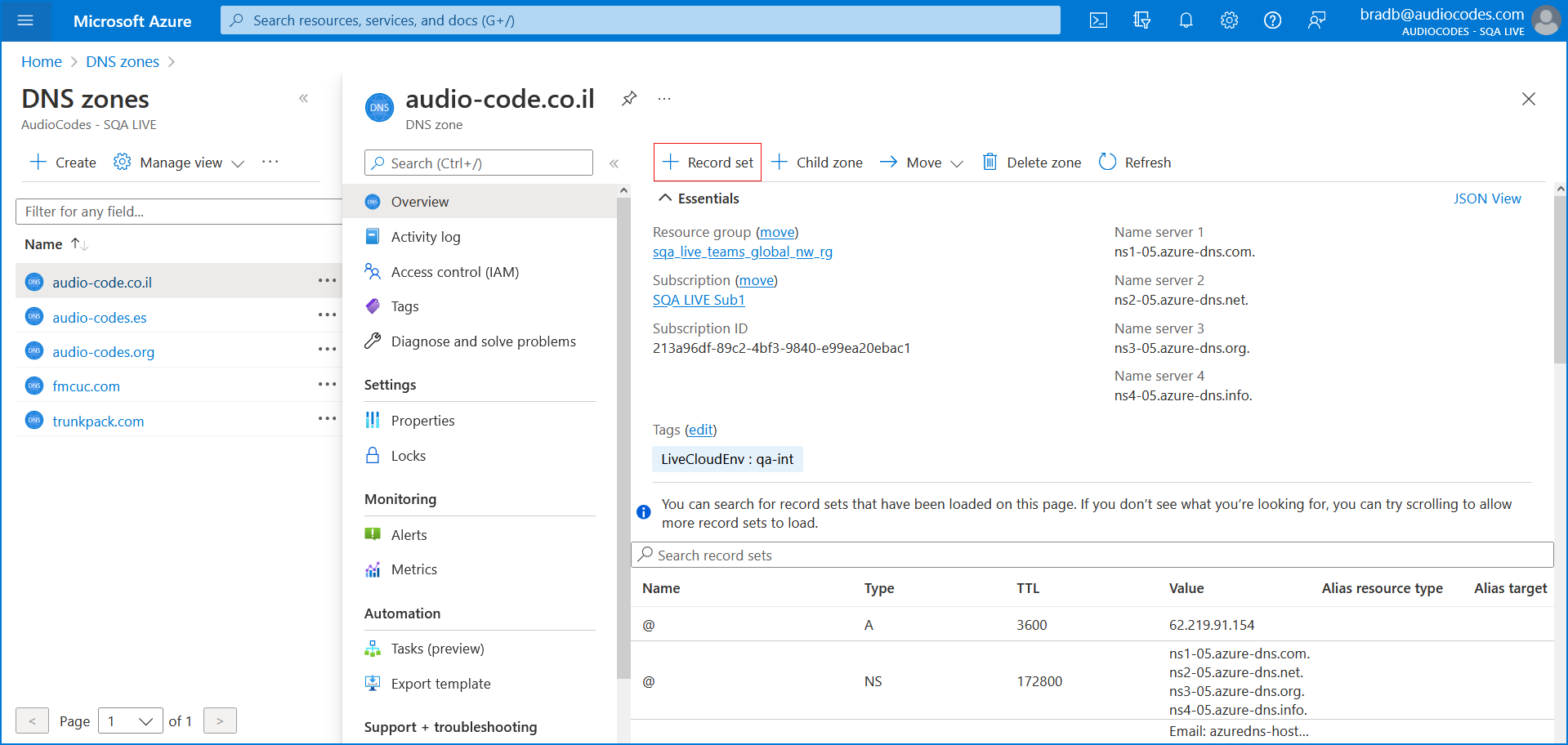
In the relevant DNS Zone, click + Record Set. |
|
2.
|
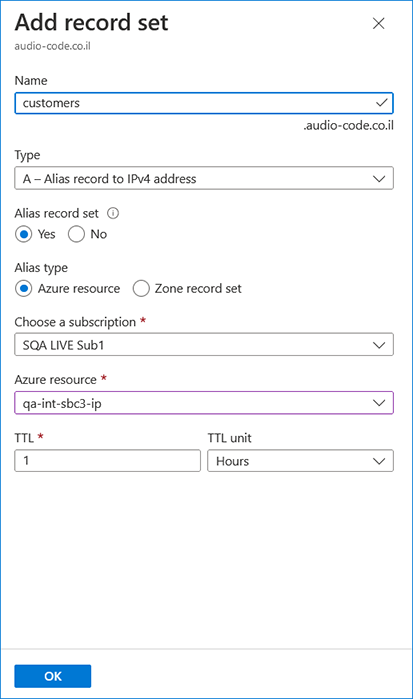
Add an A-record to translate the site SBC shortname to its’ IP address and FQDN: |
|
●
|
Enter the name of the customer subdomain. |
|
●
|
From the Type drop-down list, select A-Alias record to IPv4 address. |
|
●
|
Set the Alias record set to Yes. |
|
●
|
Set the Alias type to Azure resource. |
|
●
|
From the Azure resource field drop-down list, select the relevant SBC device. |
The following confirmation prompt is displayed.

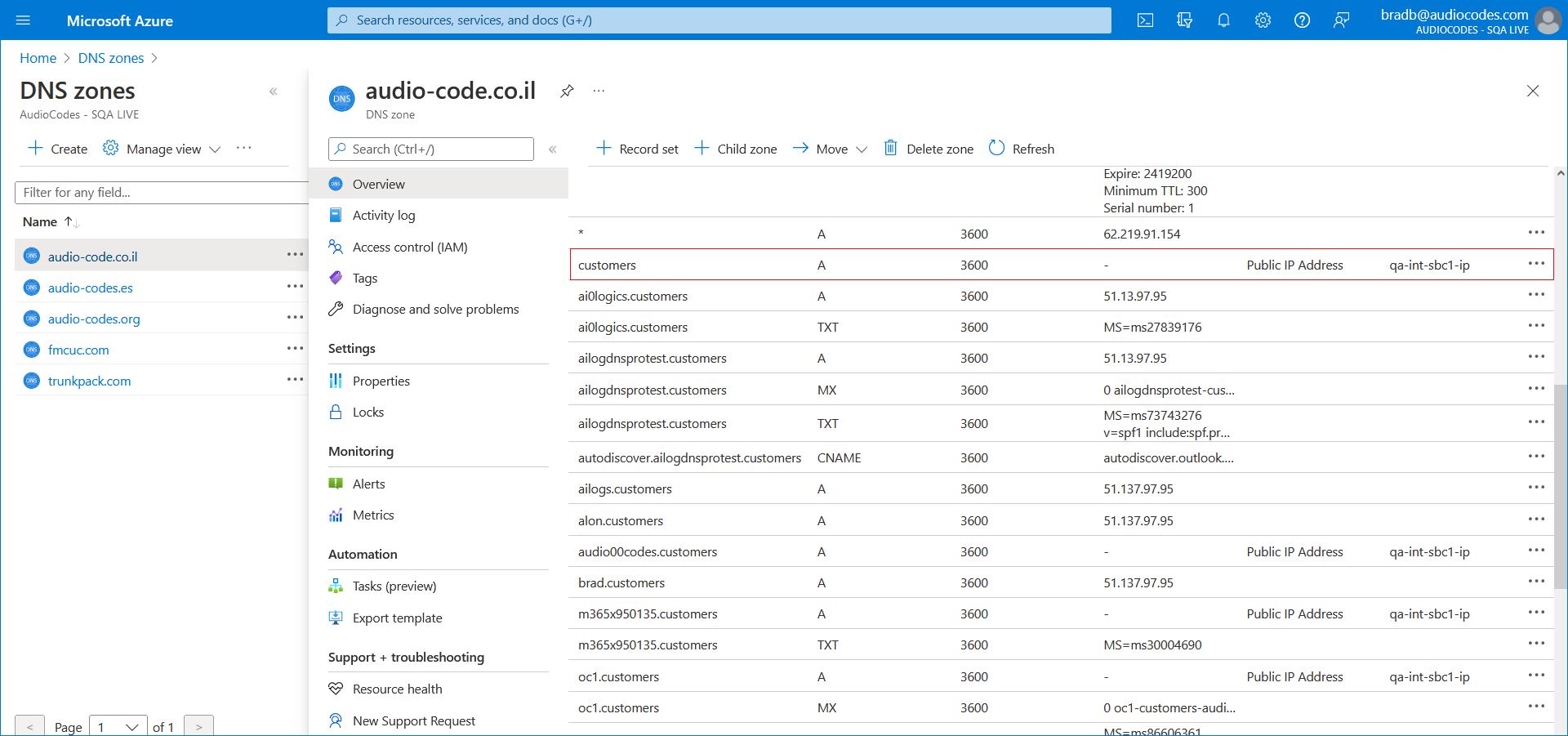
The following figure displays the newly added records.